
Jargar Strings
Mini 4G Pinhole Camera CCTV P2P Onvif Audio DIY 3G 4G SIM Camera Module Chip Board 4G Wireless IP Camera P2P For Camhipro
$ 71.10
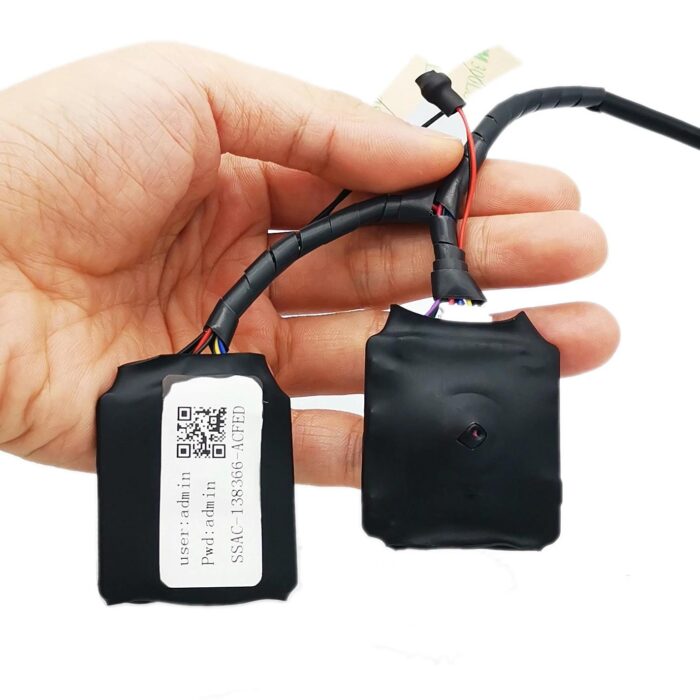
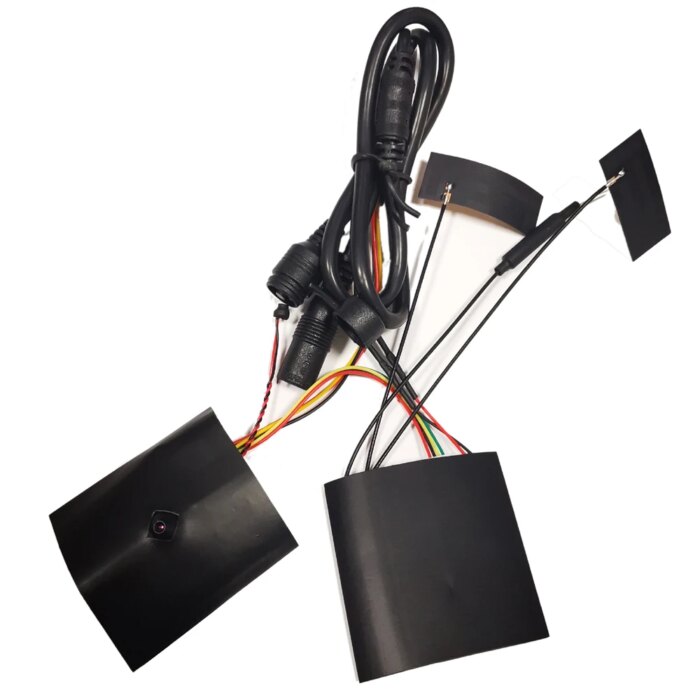
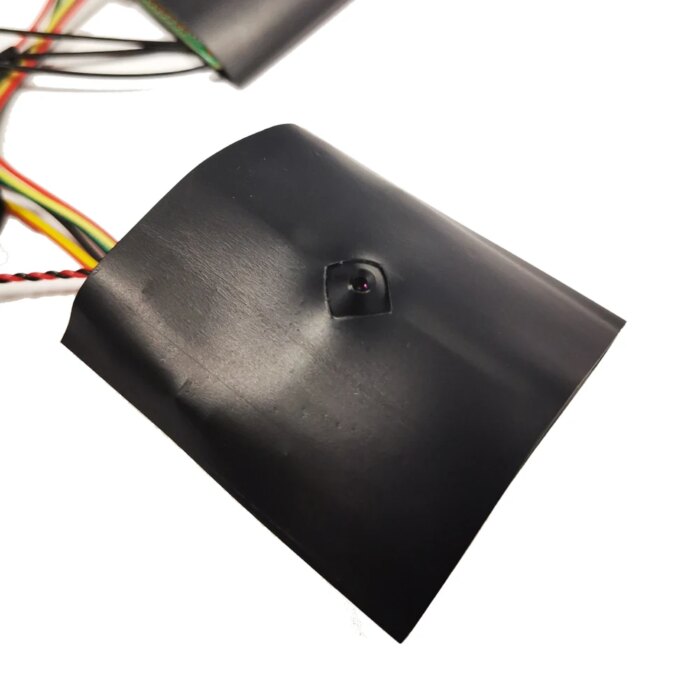
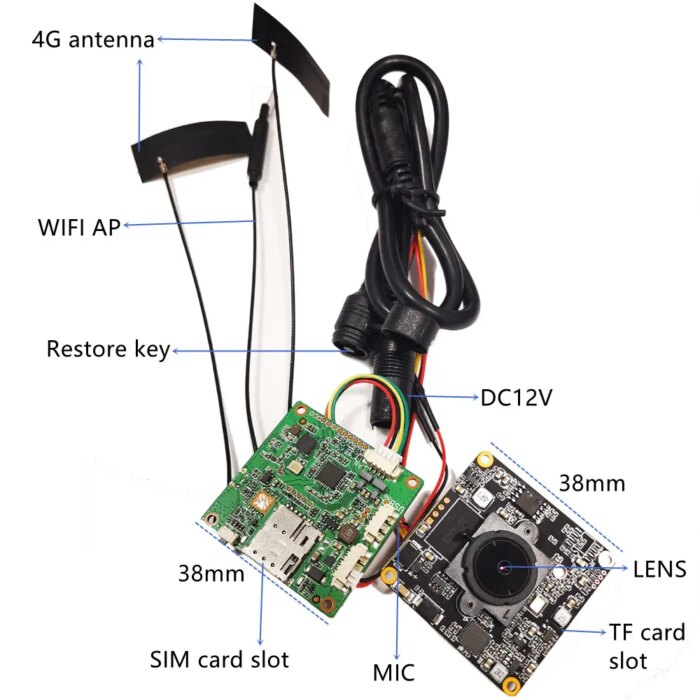
+ Free ShippingDescription Specification Reviews The Mini 4G Pinhole Camera CCTV P2P Onvif Audio DIY 3G 4G SIM Camera Module Chip Board 4G Wireless IP Camera P2P For Camhipro is a compact, advanced technological equipment that serves multiple surveillance purposes. This device, equipped with a pinhole lens, delivers high-definition visual quality despite its small size. It has a 4G connectivity capacity, facilitating data transfer and real-time broadcast over significant distances. This wireless IP camera can operate through both 3G and 4G networks by leveraging SIM cards. Additionally, the device holds an Onvif standard, implying compatibility with other Onvif-compliant equipment for a seamless surveillance network operation. This wireless camera is unique as it features P2P (Peer-to-Peer) technology, which simplifies network setup by connecting directly to devices without needing a centralized network. This allows anyone to connect to the camera remotely from anywhere. Furthermore, the module is designed as DIY, permitting users to customize the installation process as required. The device also supports audio input, offering a voice recording capability in conjunction with video surveillance. Finally, this mini 4G pinhole camera is specifically designed to work seamlessly with Camhipro, reinforcing its versatility in operation. Note: This 4G camera only supports the European 4G band, not in the Americas and Asia Brazil 4G Europe Support Israel 4G Europe Support Kuwait 4G Europe Support The British 4G Europe Support Russia 4G Europe Support Italy 4G Europe Support Poland 4G Europe Support Ukraine 4G Europe Support Thailand 4G Europe Support Finland 4G Europe Support Spain 4G Europe Support Bulgaria 4G Europe Support Canada 4G Europe Support Estonia 4G Europe Support Important Warning: If you want to use this 3G 4G IP Camera, You MUST check your SIM card frequency range MUST be in below listed range. We will not agree any dispute for your own reason for your wrong order. 3G standard: WCDMA Frequency range: B1(2100MHz), B8(900MHz) 4G standard: FDD-LTE Frequency range: B1(2100MHz), B3(1800MHz), B7(2600MHz), B8(900MHz), B20(800MHz) (1)This 3G 4G ip camera mostly used for those environment place not have internet but have SIM mobile signal, you have to put a SIM card into camera and connect internet by your SIM card. The camera does not support router internet connection ! (2)This 3G 4G IP camera Connection Way: Insert your SIM card into camera, then power on, connect SIM Card internet. No need to connect network LAN cable ! No need to setup wifi ! (3)The 3G 4G ip camera does not support local PC clients . It supports mobile phone app (CamHi) and a remote clients CMS. (4)The 3G 4G ip camera does not support Cloud FTP storage ! our product is support 3G/4G Wireless AP connect, nsupport wired connect(RJ45 port work), 4G SIM Card Connection –You MUST check your SIM card frequency range must be in below listed range. How to quickly set up 3G/4G First of all , Download APP “CamHi” from the iPhone App Store or Google Play Store. Or scan the QR code If you choose the camera has 3G/4G. Then when the camera leaves the factory. The default connection to the 3G/4G module (signal MIFI-XX) has been set. Note:If you use the reset button. Then you need to re-bind the camera to MIFI-xx You only need a few simple steps. Insert the SIM card into the camera. Connect the power adapter , wait 10-20s, camera will be ready. Then open your phone WLAN setting , you will find “MIFI-XXX” and select to connect, the default password is 1234567890 When your phone is connected to MIFI-XX. Then open the app “camhi”. Select “Add Camera.” Because your phone is connected to MIFI-XX. So you can choose “Search Camera from LAN”. Or directly scan the QR code of the camera. Then you can see your camera online. You can control the camera and watch videos from your phone. NOTE: If view the 3G/4G camera is offline, please check the SIM card”. Use the mobile phone or PC to connect the WIFI “MIFI_3F41”,the WIFI password is “1234567890”, you can find the WIFI when the camera starts working. Access “192.168.100.1” through the browser, the page password is “admin”, you can check the SIM card information on this page. If your camera display is offline, please note the following: 1.Damaged card or wrong installation direction when prompted “ No SIM Card or SIM Card invalid! “, as shown below: 2.Frequency not supported or SIM card arrears when prompted “No Service” or “Limited Service”, as shown below 1): 3.Make sure 3G/4G signal strength is enough, as shown below 2): SKU: 3256806163801901 Categories: Cellphone Accessories, Consumer Electronics, Popular
⚡ Easy & Secure Payment Methods
🥇 Recommended Quick Way: Pay us directly via Google Pay (GPay) or PhonePe for fastest order processing. Contact us via WhatsApp at 7032208834 to instantly pay directly.
🥈 Alternate Options (Via Cashfree Payments):
- Cards: Visa, RuPay, Mastercard.
- Net Banking: All major Indian banks.
🚚 Shipping & Delivery
Processing: Orders processed within 1–2 business days.
- India: 2–6 business days (Free Shipping).
- International: 6–14 business days (₹2500 for 1st kg + ₹500 per addl. kg).
Tracking details will be sent via Email or WhatsApp.
🧶 Out of Stock?
If a saree is out of stock, we can weave it freshly on a handloom for you. Weaving time varies based on design and yarn availability.
🔄 Returns & Refunds
Returns are accepted for damaged, defective, or incorrect items in original packaging.
Contact Us: [email protected] or WhatsApp 7032208834.
*Orders cannot be cancelled once placed. See footer for full policy.